In a world where streaming has replaced traditional TV for millions of households, IPTV Smarters has emerged as one of the most versatile and widely used media player applications available today. But if you’ve just stumbled across the term, you might be wondering — what exactly is it, and why is everyone talking about it?
According to Statista, streaming adoption continues to surge worldwide, reflecting a major shift away from traditional TV and toward app-based viewing experiences like IPTV players.
What Is IPTV Smarters
IPTV Smarters is a feature-rich application that allows users to watch live television channels, on-demand movies, TV shows, and series delivered through the internet rather than through a cable or satellite connection. The “IPTV” stands for Internet Protocol Television — a technology that streams television content via IP networks, meaning your broadband or fiber connection becomes your gateway to thousands of channels and content libraries.
Unlike fixed cable or satellite packages, IPTV Smarters acts as a universal IPTV player, meaning it connects to any compatible IPTV service provider and organizes all available content — live TV, movies, and series — into one clean, easy-to-navigate interface.

How Does IPTV Smarters Work
Understanding how IPTV Smarters works requires a brief look at how IPTV technology functions at its core. Traditional broadcasting sends signals over the air, through cable lines, or via satellite dishes. The IPTV service, on the other hand, delivers television content as data packets over the internet — much like how Netflix or YouTube streams video.
IPTV Smarters is the client-side application — meaning it is the software installed on your device that receives and displays this content. It works in conjunction with an IPTV service provider (like IPTV Smarter Pros), which supplies the actual channels and content through a subscription.
Here’s a simplified breakdown of the flow:
Subscribe to an IPTV service
A provider like IPTV Smarter Pros gives you login credentials — typically an M3U playlist URL, a username, and a password, or an Xtream Codes API link.
Download and install IPTV Smarters
The app is available across multiple platforms and devices — more on that below.
Enter your credentials
You log in to the app using the details provided by your IPTV provider.
Browse and watch
The app loads all available channels, VOD content, and series automatically. You can then browse, search, and watch anything in your subscription plan.
The entire process takes just minutes, and once configured, IPTV Smarters works seamlessly — fetching streams in real time and delivering them directly to your screen.
Key Features of IPTV Smarters
One of the biggest reasons IPTV Smarters has become so popular is its impressive set of features. It is not just a basic video player — it is a fully loaded entertainment hub. Here are some of the standout features that make it a go-to choice for IPTV users worldwide.
Live TV Streaming
Stream thousands of live channels from around the world in real time, including sports, news, entertainment, and local channels.
Video on Demand (VOD)
Access a massive library of movies and TV shows that you can watch at any time — no schedules, no waiting.
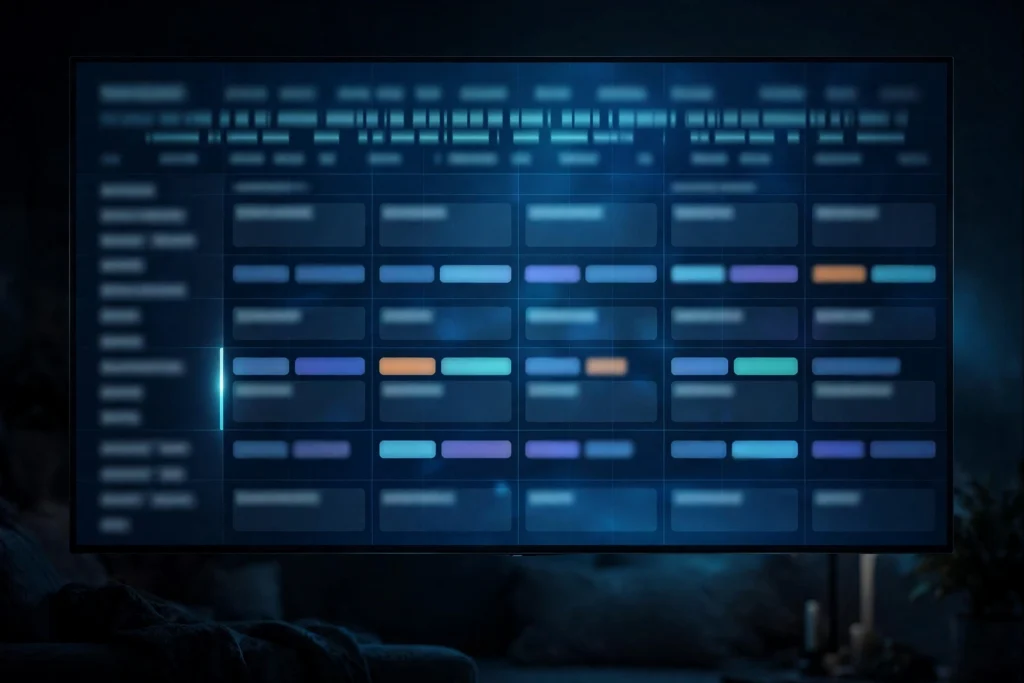
Electronic Program Guide (EPG)
An interactive TV guide that displays current and upcoming programming so you always know what’s on.
Multiple User Profiles
Create separate profiles for each household member, each with their own preferences and viewing history.
Powerful Search Function
Quickly locate any channel, movie, or series using the built-in search feature across your entire content library.
Multi-Screen Support
Watch on multiple devices simultaneously depending on your subscription plan — perfect for the whole family.
Multi-Language Interface
The app supports multiple languages, making it accessible to users from various regions around the globe.
Catch-Up TV
Missed something? Catch-up TV lets you rewind live broadcasts and watch programs that aired in the past (where supported by the provider).
Compatible Devices and Platforms
One of IPTV Smarters’ greatest strengths is its broad device compatibility. Whether you prefer watching on a big-screen television, a tablet on the couch, or your smartphone on the go, IPTV Smarters has you covered.

This cross-platform availability means you are never tied to a single device. Start a movie on your phone during your commute and pick it up on your television when you get home — all through the same app and the same account.
Installation is straightforward on all supported platforms. On Android devices, it is available through the Google Play Store. For Amazon Fire Stick users, it can be found on the Amazon Appstore. iOS users can download it from the Apple App Store, while PC and Mac users can find desktop versions or use compatible web-based alternatives.
How to Set Up IPTV Smarters
Setting up IPTV Smarters is a simple process that most users can complete in under ten minutes. Here is a step-by-step guide to getting started:
- Choose an IPTV service provider — Before you can use IPTV Smarters, you need a subscription to an IPTV service. Your provider will supply you with credentials (more on IPTV Smarter Pros below).
- Download the app — Head to your device’s app store and search for “IPTV Smarters.” Install the official version of the application.
- Open the app and select your login method — IPTV Smarters supports several login methods: Xtream Codes API (username, password, and server URL), M3U URL (a playlist link), or an external M3U file.
- Enter your credentials — Input the details provided by your IPTV provider. The app will load and organize all available content automatically.
- Customize your settings — Set up user profiles, enable parental controls if needed, and adjust streaming quality preferences to match your internet connection.
- Start watching — Browse the channel list, explore VOD content, and start streaming your favorite shows and movies right away.

Pros and Cons of IPTV Smarters
Like any application, IPTV Smarters has its strengths and limitations. Here is an honest look at both sides:
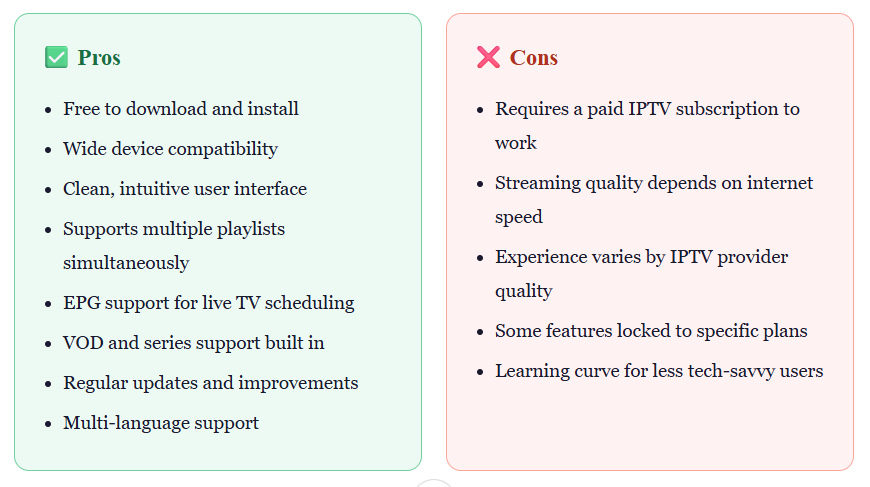
Pros:
- Works on many devices, including smartphones, tablets, smart TVs, Firestick, and computers
- Built-in EPG (Electronic Program Guide) to browse current and upcoming programs
- Favorites and parental controls to personalize and protect viewing
- More affordable than traditional cable packages
- Clean, user-friendly interface that organizes live TV, movies, and series in one place
Cons:
- Requires a separate subscription from an IPTV provider — the app includes no content on its own
- Setup can confuse beginners unfamiliar with playlists and login credentials
- Streaming quality depends on your internet speed and your provider’s reliability
It is worth noting that many of the “cons” listed above are not unique to IPTV Smarters — they are inherent to any IPTV experience. Choosing a high-quality provider goes a long way toward eliminating most of these concerns.
IPTV Smarters vs. Traditional TV
The shift from traditional cable and satellite TV to internet-based streaming has been dramatic, and for good reason. Here is how IPTV Smarters compares to conventional television services:
Cost
Traditional cable packages can cost anywhere from $60 to $150+ per month, often bundling channels you never watch. IPTV services, by contrast, are significantly more affordable while offering access to more content.
Content Variety
Cable and satellite services are region-locked and limited by broadcast licensing agreements. IPTV can offer access to international channels, niche content, and foreign-language programming that traditional TV simply cannot provide.
Flexibility
With cable, you are tied to a set-top box attached to your television. IPTV Smarters lets you watch on any internet-connected device — anywhere in the world, at any time.
Contracts
Cable companies often require long-term contracts with early termination fees. Most IPTV subscription plans are month-to-month with no long-term commitment required.
Catch-Up and VOD
While DVR features have improved with cable services, IPTV platforms offer integrated VOD libraries and catch-up TV without requiring additional equipment or fees.

Get the Best Out of IPTV Smarters with IPTV Smarter Pros
IPTV Smarters is only as good as the service powering it. That’s where IPTV Smarter Pros comes in — your trusted, reliable, and feature-packed IPTV service provider built for the modern viewer.
- 85,000+ live channels from around the world — sports, news, entertainment, international & local
- Massive on-demand library with thousands of movies and full TV series in HD and 4K
- 99.9% uptime guarantee with robust, high-speed server infrastructure
- Fully compatible with IPTV Smarters on all devices — Fire Stick, Android, iOS, Smart TV, and more
- Anti-freeze technology for smooth, buffer-free streaming even during peak hours
- Catch-up TV feature on supported channels — never miss a moment
- Flexible pricing plans — monthly, quarterly, or annual options with no contracts
- 24/7 dedicated customer support to assist with setup, troubleshooting, and more
- Instant account activation — start watching within minutes of subscribing
- Free trial available so you can experience the quality before committing
Whether you are new to IPTV or looking to switch from a subpar provider, IPTV Smarter Pros delivers everything you need for a premium streaming experience — all powered through IPTV Smarters. Book a free consultation call with our team.
Conclusion
IPTV Smarters stands out as a powerful and flexible media player that transforms how you watch television by bringing live channels and on-demand content into one seamless experience. Its ease of use, wide device compatibility, and feature-rich interface make it an excellent choice for modern viewers looking to move beyond traditional TV. Just remember — the quality of your experience depends heavily on the IPTV provider you choose, so pairing IPTV Smarters with a reliable service ensures smooth, high-quality streaming every time. Try it free for 24 hours and judge the quality yourself.
FAQs
Is IPTV Smarters legal to use?
IPTV Smarters itself is a completely legal media player application — similar to VLC or Kodi. The legality of what you watch through the app depends entirely on your IPTV service provider. Using a licensed, authorized provider like IPTV Smarter Pros ensures you are accessing content through legitimate, properly licensed streams. Always verify your provider’s credentials and licensing before subscribing.
Does IPTV Smarters require a monthly subscription?
The IPTV Smarters app itself is free to download and does not require any direct subscription. However, to access live channels and on-demand content, you need a subscription to an IPTV service provider that supplies the content. These subscriptions are typically offered on a monthly, quarterly, or annual basis at varying price points depending on the provider and the number of connections included.
Can I use IPTV Smarters outside my home country?
Yes, in most cases IPTV Smarters works wherever you have a stable internet connection, regardless of your geographic location. This makes it ideal for travelers or expatriates who want to stay connected to their home country’s programming. However, some providers may have regional restrictions on certain content due to licensing agreements, so it is worth checking with your provider before traveling internationally.
How many connections or screens can I use with one account?
The number of simultaneous connections (screens) depends on your subscription plan. Most providers offer single-connection, dual-connection, and family-plan options. A single connection allows streaming on one device at a time, while higher-tier plans allow two or more devices to stream simultaneously. If multiple family members want to watch different content at the same time, a multi-connection plan is the way to go.
What internet speed do I need for a good IPTV experience?
For standard definition (SD) streaming, a minimum of 5 Mbps is generally sufficient. High definition (HD) content typically requires at least 10–15 Mbps per stream. For Full HD and 4K Ultra HD streams, you will want 25 Mbps or more per device. If multiple people in your household are streaming simultaneously, these speeds should be multiplied accordingly. A wired Ethernet connection is always preferable to Wi-Fi for the most stable and consistent streaming experience.
Does IPTV Smarters support parental controls?
Yes, IPTV Smarters includes a parental control feature that allows you to set a PIN code to restrict access to certain channels or content categories. This is particularly useful for households with children, as it allows parents to manage what content is accessible without having to monitor every viewing session. The parental control settings can be accessed through the app’s settings menu and customized to match your household’s needs.
What should I do if channels are buffering or freezing?
Buffering and freezing are usually caused by one of three things: insufficient internet speed, a weak Wi-Fi signal, or server-side congestion on the provider’s end. To troubleshoot, first run an internet speed test to confirm your connection meets the requirements. If your speed is adequate, try switching from Wi-Fi to a wired Ethernet connection for improved stability. You can also try selecting a different server (if your provider offers multiple) or reducing the stream quality in the app settings. If problems persist, contact your IPTV provider’s support team — a high-quality provider will typically resolve server issues quickly.