Tired of paying sky-high cable bills for hundreds of channels you never watch? You’re not alone. Over 300 million people worldwide now use IPTV services, and that number continues to grow every year. Millions of households worldwide are making the switch to IPTV (Internet Protocol Television) — a smarter, more flexible, and far more affordable way to watch live TV, sports, movies, and on-demand content. But if you’ve never set it up before, the whole process can feel a little daunting.
This guide breaks it all down. By the time you reach the last paragraph, you’ll know exactly how to get IPTV, how to set it up on your preferred device, and how to choose a provider you can actually trust.
What Is IPTV and How Does It Work?
IPTV stands for Internet Protocol Television. Instead of receiving TV signals through a satellite dish or a coaxial cable plugged into the wall, IPTV delivers television content over your broadband internet connection — the same connection you use for browsing, gaming, and streaming music.
Think of it like this: traditional TV pushes channels to everyone at the same time. IPTV service, on the other hand, sends only the content you request, directly to your device, on demand. This makes it faster, more personal, and incredibly efficient.
The Three Main Types of IPTV
| Type | What It Is | Best For |
| Live IPTV | Real-time broadcast of TV channels over the internet | Sports, news, events |
| Video on Demand (VOD) | A library of movies and shows you can watch anytime | Entertainment, binge-watching |
| Time-Shifted TV | Catch-up TV — watch shows that aired hours or days ago | Busy schedules, replay viewing |
Why People Are Switching to IPTV
IPTV is no longer a niche tech product — it’s gone mainstream for good reason. Here’s why millions are cutting the cord:
Lower Cost
A typical cable subscription can cost $100–$200/month. A quality IPTV service often costs a fraction of that, with access to thousands more channels.
Global Content
Access channels from dozens of countries in multiple languages — sports, news, entertainment, and more from virtually anywhere in the world.
Multi-Device Flexibility
Watch on your smart TV, phone, tablet, laptop, or streaming stick. Your subscription travels with you.
On-Demand Libraries
Beyond live TV, most IPTV services include massive VOD libraries — movies, series, and documentaries available any time.
No Contracts or Hardware
No satellite dish installations, no long-term contracts, and no waiting for a technician. Just subscribe and stream.
What You Need Before Getting Started
Before you can start streaming, make sure you have the essentials in place:
1. A Reliable Internet Connection
IPTV is only as good as your internet. Here are the minimum speeds recommended for a smooth experience:
| Stream Quality | Minimum Speed | Recommended Speed |
| SD (Standard Definition) | 5 Mbps | 10 Mbps |
| HD (720p / 1080p) | 10 Mbps | 25 Mbps |
| 4K / UHD | 25 Mbps | 50+ Mbps |
| Multiple Devices | 50 Mbps | 100+ Mbps |
2. A Compatible Device
You’ll need at least one device capable of running an IPTV player app. More on this in the devices section below.
3. An IPTV Subscription
You’ll need to sign up with a provider who will give you an M3U playlist URL or an Xtream Codes login — the credentials used to access your channels.
4. An IPTV Player App
Once you have your subscription credentials, you’ll need a compatible app to load and stream the channels. Popular options are covered further below.
How to Choose a Reliable IPTV Provider
This is where many first-time users go wrong. There are hundreds of IPTV providers out there, and the quality gap between them is enormous. Choosing the wrong one means constant buffering, missing channels, and poor customer support.
Here’s what to look for when evaluating an IPTV service:
✅ Channel Count and Content Variety
A good provider should offer thousands of live channels spanning entertainment, sports, news, kids’ programming, and international content. Also check the size and freshness of their VOD library.
✅ Stream Stability and Server Uptime
Nothing is more frustrating than a service that buffers during a crucial game or cuts out mid-movie. Look for providers who guarantee high uptime — ideally 99.9% — and who run dedicated, fast servers.
✅ Video Quality (EPG Included)
A reputable provider will offer Full HD and 4K streams where available, and include an Electronic Program Guide (EPG) so you know what’s on and when.
✅ Device Compatibility
Make sure the service works with the devices you already own — whether that’s a Fire TV Stick, Android TV box, iPhone, or anything in between.
✅ Customer Support
Real-time support (live chat, WhatsApp, or a callback option) is a sign of a professional operation. Avoid providers with no visible support channels.
✅ Trial Availability
A trustworthy provider won’t be afraid to offer a free trial or test period. This lets you evaluate stream quality before committing to a paid plan.
How to Get IPTV: Step-by-Step
Ready to get set up? Follow these steps and you’ll be streaming in no time.
Test Your Internet Speed
Visit a speed-test site and check your download speed. Aim for at least 25 Mbps for a smooth HD experience. If you’re below that, contact your ISP or consider upgrading your plan.
Choose a Reputable IPTV Provider
Research IPTV service providers carefully. Look for reviews, check what channels and VOD content they offer, and confirm they provide a trial or have a clear refund policy.
Select a Plan and Subscribe
Most providers offer monthly, quarterly, and annual plans. Annual plans typically offer the best value. Complete your purchase to receive your login credentials (M3U URL or Xtream login).
Choose and Install an IPTV Player App
Download a compatible IPTV app on your preferred device. Top choices include IPTV Smarters Pro, TiviMate, GSE Smart IPTV, or Perfect Player depending on your device.
Enter Your Subscription Credentials
Open the app and enter either your M3U URL or your Xtream Codes credentials (server URL, username, and password) — these will have been emailed to you after purchase.
Load Channels and Start Watching
Once your playlist is loaded, browse through your channel list, explore the EPG for scheduling info, and enjoy your content. Setup is complete!
Compatible Devices for IPTV Streaming
One of the biggest advantages of IPTV is its versatility. Here are the most popular devices you can use:
| Device Type | Examples | Notes |
| Smart TVs | Samsung, LG, Sony Android TVs | Download IPTV apps directly from the app store |
| Streaming Sticks | Amazon Fire TV Stick, Chromecast, Roku | Affordable and easy — great starter option |
| Android TV Boxes | NVIDIA Shield, Formuler, Mecool | Most flexible option with full Android OS |
| iOS Devices | iPhone, iPad | Use apps like GSE Smart IPTV or IPTV Smarters |
| Android Phones/Tablets | Any Android device | Wide app selection from Google Play |
| Windows PC / Mac | Any computer | Use VLC, Kodi, or dedicated desktop IPTV players |
| MAG Boxes | MAG 254, 322, 424 | Purpose-built IPTV hardware — plug and play |
Best Apps to Use with IPTV
Your IPTV player app is the interface through which you’ll access all your content. Choosing the right one can make a big difference in your viewing experience.
IPTV Smarters Pro
One of the most popular choices, particularly for beginners. Clean interface, multi-screen support, EPG integration, and works on Android, iOS, Smart TVs, and Fire TV Stick. Simply enter your M3U URL or Xtream Codes credentials to get started.
TiviMate
Widely considered the best IPTV player for Android TV and Fire TV. It offers a polished, TV-friendly interface, a beautiful EPG guide, recording functionality (premium), and multi-playlist support. The premium version is well worth the modest cost.
GSE Smart IPTV
A strong choice for iOS and Android users. It supports both M3U and Xtream API playlists, includes an EPG, and offers a clean, easy-to-navigate interface.
VLC Media Player
A free, open-source player available on virtually every platform. While it lacks a proper TV-style interface, it’s a solid fallback option for PC and Mac users who want to open an M3U playlist quickly.
Kodi with PVR Add-on
Kodi is a powerful media center application that, when combined with a PVR IPTV Simple Client add-on, becomes a full-featured IPTV player. It’s more complex to set up but offers unmatched customization for tech-savvy users.
Common IPTV Problems and How to Fix Them
Even the best IPTV services occasionally encounter issues. Here’s how to tackle the most common ones:
Buffering or Freezing
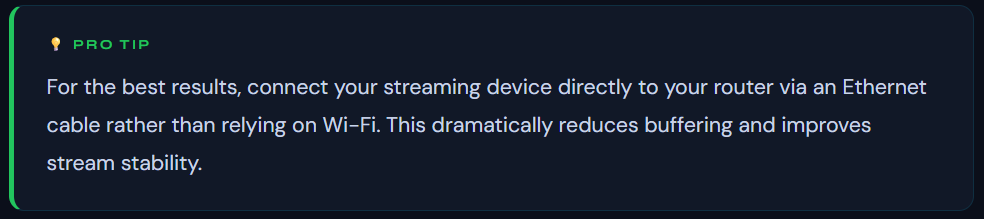
This is the most common complaint. First, run a speed test. If your speeds are fine, try switching from Wi-Fi to a wired Ethernet connection. If you’re on a shared network, disconnect other devices temporarily. You can also try switching to a different server or stream quality setting within your app.
Channels Not Loading
This usually indicates a server-side issue with your provider. Try reloading your playlist in the app. If the problem persists, contact your provider’s support team — they may have a server issue or your M3U link may have expired.
Missing EPG (Program Guide)
EPG data sometimes requires a manual refresh. Within your IPTV app, find the EPG settings and force a reload. Also confirm that your provider supports EPG and has provided a separate EPG URL if needed.
App Crashing or Not Opening
Clear the app’s cache in your device settings, then restart the app. If the problem continues, uninstall and reinstall the app. On Fire TV Stick, also make sure the device has been restarted recently.
Incorrect Credentials Error
Double-check every character in your M3U URL or Xtream login — these are case-sensitive. If you copied and pasted, make sure there are no extra spaces. Contact your provider to have your credentials reissued if needed.
Is IPTV Legal?
This is a question that comes up frequently, and the honest answer is: it depends on the provider.
IPTV as a technology is entirely legal. Services like YouTube TV, Hulu Live, Sling TV, and similar platforms are all technically IPTV services — they deliver live television over the internet and operate with full licensing agreements.
The legal grey area arises when providers stream copyrighted content — channels, live sports, premium movies — without the appropriate broadcast licences. Subscribing to such services may expose you to legal risk depending on your country’s copyright laws.
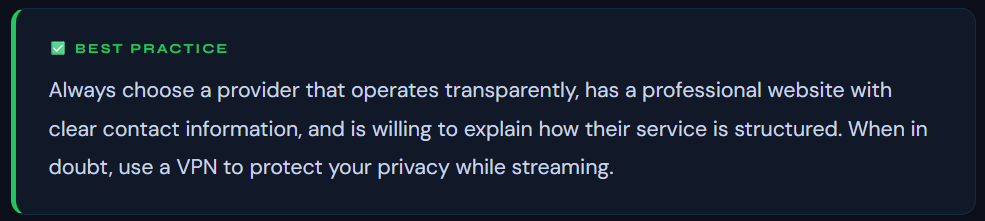
It’s worth noting that simply using IPTV software or apps is not illegal — it’s the source of the content that determines legality. Doing your due diligence when selecting a provider is the most important step you can take.
Get IPTV the Smart Way with IPTV Smarter Pros
If you’re ready to experience IPTV the right way — fast, reliable, and fully supported — IPTV Smarter Pros is the service built for exactly that. Designed for viewers who refuse to compromise on quality, IPTV Smarter Pros delivers a premium streaming experience from day one.
10,000+ Live Channels
Sports, entertainment, news, kids, and international channels — all in one place.
Massive VOD Library
Thousands of movies and TV series available on demand, updated regularly.
Full HD & 4K Streams
Crystal-clear picture quality with stable, buffer-free performance.
Easy Setup on Any Device
Compatible with Fire Stick, Smart TV, Android, iOS, MAG, and more.
24/7 Customer Support
Real help from real people whenever you need it — not just a chatbot.
99.9% Server Uptime
Powered by high-speed, redundant servers so your stream never drops.
Here’s what you get when you choose IPTV Smarter Pros:
- Instant activation — start streaming minutes after you subscribe
- Multi-screen support — watch on up to 4 devices simultaneously
- Full EPG (Electronic Program Guide) included at no extra cost
- Regular channel updates to ensure no content goes missing
- Flexible subscription plans — monthly, quarterly, and annual options
- Free trial available — test the service before committing
- Step-by-step setup guides for every supported device
- Dedicated support team available via call, chat, or message
Ready to get started? Book a free call with the IPTV Smarter Pros team today. We’ll walk you through everything — from choosing the right plan to getting your devices set up — in under 30 minutes.
Conclusion
Getting IPTV has never been easier, and the benefits over traditional cable TV are impossible to ignore. With thousands of channels, flexible device support, on-demand libraries, and pricing that leaves cable in the dust, it’s clear why so many households are making the switch.
The most important steps are choosing a reliable provider, having a solid internet connection, and using a quality IPTV player app. Get those three things right, and you’ll have a streaming experience that’s genuinely hard to beat.
Whether you’re a sports fanatic, a movie lover, or someone who just wants access to global content without overpaying, IPTV is the answer — and IPTV Smarter Pros is here to make that journey as smooth as possible.
FAQs
Can I use IPTV without a smart TV?
Yes, absolutely. You don’t need a smart TV to use IPTV. A basic streaming stick like an Amazon Fire TV Stick or a small Android TV box plugged into any TV with an HDMI port will work perfectly. You can also stream on your phone, tablet, or computer with no TV required at all.
How much does a typical IPTV subscription cost?
IPTV subscriptions vary widely by provider and plan type. Monthly plans typically range from $10 to $30 USD. Quarterly and annual plans bring the cost down significantly — some annual plans work out to under $10 per month. This is still a fraction of what most cable packages cost, and usually includes far more content.
Do I need a VPN to use IPTV?
A VPN is not strictly required to use IPTV, but it is a good idea for two reasons. First, it encrypts your internet traffic, protecting your privacy from your Internet Service Provider (ISP). Second, some ISPs throttle streaming traffic, and a VPN can help maintain consistent speeds by masking the type of traffic you’re sending. If you’re in a country with strict internet regulations, a VPN becomes even more important.
Can I record live TV with IPTV?
Yes, some IPTV player apps — particularly TiviMate Premium and certain Android-based players — include a DVR/recording function that lets you record live channels to local or network storage. However, this feature depends entirely on the app you use, not the IPTV subscription itself. Check your preferred app’s feature list to see if recording is supported.
How many devices can I use with one IPTV subscription?
This depends on the number of “connections” or “lines” included in your plan. A single-connection plan only allows one device to stream at a time. Multi-connection plans (2, 3, or 4 connections) let multiple family members stream simultaneously on different devices. Always confirm how many simultaneous streams are included before purchasing, especially if you have a household with multiple viewers.
What happens if my IPTV service goes down or a channel stops working?
Occasional downtime can happen with any streaming service. If a channel stops working, try reloading your playlist from within the IPTV app — this forces a refresh of the stream links. If the issue affects multiple channels or persists for more than a few hours, contact your provider’s support team. Reputable providers like IPTV Smarter Pros have teams on hand 24/7 to resolve issues quickly and can issue credit or extensions for extended outages.